
Document signing
Signed inside the process, filed on the record
Electronic document signing built into the HR process. Contracts, letters and policies are signed where they are created: inside an HR Manage workflow, by people inside and outside the company, with every signature tracked and the signed copy filed on the person’s record. No per-envelope fee.
Why it matters
From generated document to signed record without leaving HR Manage
No separate e-signature subscription
Signing is part of the workflow engine, so a contract generated in one activity is signed in the next, and there is nothing extra to pay per document.
Built in, no per-envelope fee
Everyone can sign, account or not
Employees and managers sign in the web application. New appointees, contractors and other outsiders sign on the public signing portal from an e-mailed link, with a one-time code or their HR Manage login.
Internal and external signers
The signed copy lands where it belongs
When the last signer is done the document is sealed, an audit report is produced, and the signed copy is filed on the person’s compliance record as a new version.
Filed on the record, with an audit report
What it does
What electronic document signing does
Sign templates
A sign template says which documents are signed, in which order, and by which roles. A role is a person, a position holder or a relationship such as the direct manager, or it is left open and the people are chosen when the workflow reaches that step.
- Several documents in one request, signed in sequence
- Roles by person, position or relationship
- People specified at the start of the activity when the template leaves a role open
- Reuse one template across every workflow that needs it
Fields and signature places on the PDF
The PDF designer places form fields, signature boxes and initials on each document, so the signer fills in what is theirs and signs where the template says. A required field is a required field; the signer cannot submit without it.
- Text, choice and date fields placed on the page
- Signature and initial boxes per role
- Required fields enforced before submission
- Form fields built from an existing PDF with AI assistance
External signers on the signing portal
An outside signer receives an e-mail with a secure link, consents to electronic signing, confirms a one-time code sent by e-mail, then completes and signs the documents in the browser. Someone who has an HR Manage account can use that login instead of the code.
- E-mailed link, no account needed
- One-time code, or sign in with HR Manage
- Fill and sign on a phone, tablet or computer
- Reminders and cancellation from the request
Internal sign-offs
Inside the company the same documents are signed in the web application by the people the workflow assigns, one role after the other, or signed off informally where the full ceremony is not needed. A signer may decline with a reason, which sends the workflow down its reject branch.
- Tracked sign requests or simple sign-offs
- Sequential roles, each notified in turn
- Decline with a reason
- Undo and cancel by the workflow owners
Stored signatures and initials
Each person stores a signature and initials once, securely, and reuses them on every document afterwards. On the portal, outside signers draw or upload theirs.
- One stored signature and set of initials per person
- Drawn or uploaded on the portal
- Offered automatically on the next document
- Stored encrypted
Sealed, audited and filed
When the final role has signed, the completed document is flattened and certificate-signed, an audit report lists who signed what, when and from where, and the signed copy is filed on the person’s record as a new version of the compliance document it belongs to.
- Audit report with every signer, time and address
- Certificate-sealed final PDF
- Filed as a compliance document on the record
- Previous versions kept in history
Spotlight
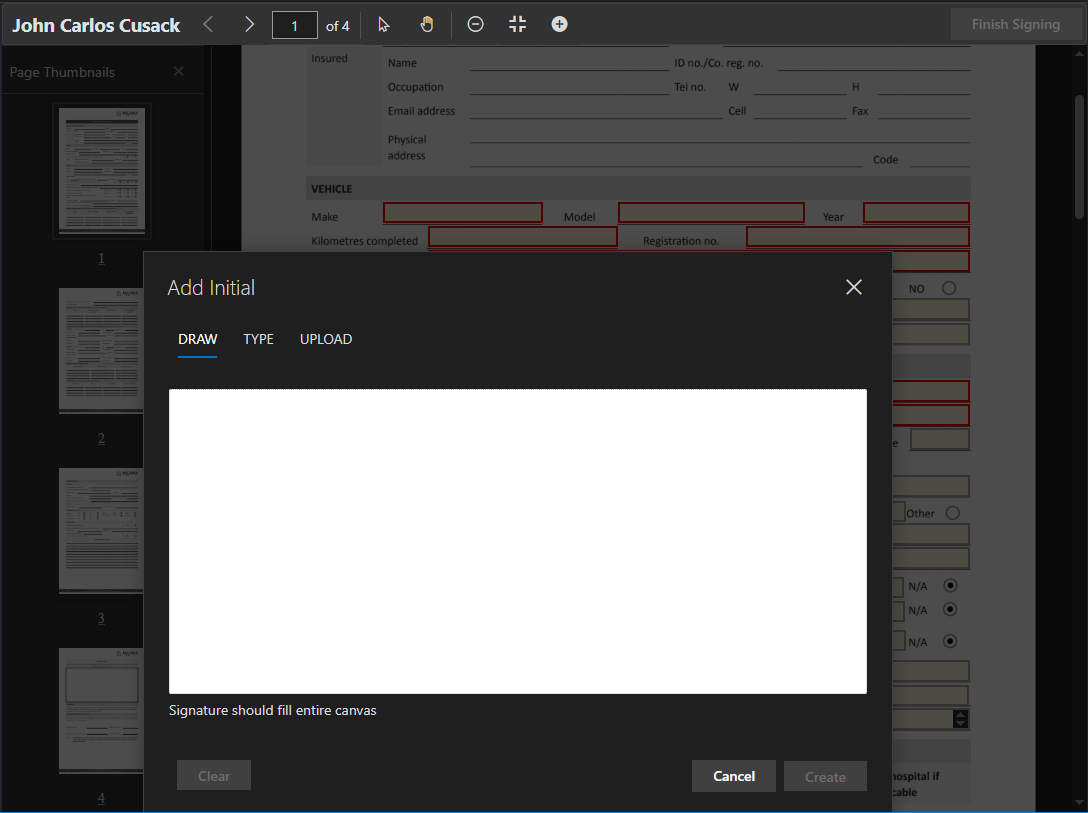
The signing portal, as the outside signer sees it
The signer opens the e-mailed link, sees the documents in the request and consents to sign electronically. After the one-time code, the documents open in the browser with the fields and signature boxes for that role highlighted.
Signing is one step for all the documents in the request. The next role is notified when this one is done.
Typical uses
Anything that needs a signature in an HR process
Appointments and contracts
A contract generated from the data captured during onboarding, signed by the new appointee on the portal and countersigned by the manager, then filed on the new employee’s record.
Policies and acknowledgements
A policy or code of conduct sent to many people at once from the batch sign request creator, with every acknowledgement tracked and filed.
Changes in conditions
A letter generated by a change-of-conditions workflow, signed internally by the employee and the manager, with the trail kept on the workflow.
Contractor and supplier documents
External companies and their people sign on the portal without an HR Manage account, and the signed documents land on the contractor’s compliance record.
Works with
Part of one HR system
Workflows & forms
Signing is an activity: generate the document in one step, sign it in the next.
Compliance
The signed copy is filed as a compliance document, versioned, on the person or company.
Self-service web app
Internal signers find the document on their home page and sign in the browser.
People management
Signed contracts, letters and policies sit on the Employee File.
HR Manage is a marvelous system that allows full customisation in order to suit the real needs of the business.







Is there a cost per document or envelope?
No. Document signing is part of HR Manage; there is no per-envelope or per-signature fee.
How do outside signers prove who they are?
They open a secure link sent to their e-mail address and confirm a one-time code sent to the same address, or, if they have an HR Manage account, sign in with it. The audit report records the method, the time and the address.
Is the signed document legally sound?
The signer consents to electronic signing before anything opens, every signature is recorded in an audit report embedded with the document, and the final PDF is sealed with a certificate so changes after signing are detectable. Whether a specific document may be signed electronically is a question for your legal advisers.
Where does the signed document go?
Onto the person’s or the company’s compliance record, as a new version of the document it represents, with the previous version kept. It is also attached to the workflow that produced it.
Book a demonstration
Put the signature where the process is
Bring one document you still print to sign and we will show you its workflow, with the people who build it.
- A demonstration takes about 45 minutes, online or on site
- We answer the pricing and implementation questions on the call
- Prefer e-mail or phone? All contact details →
Book a demo or ask a question
We get back to you within one working day.